
To create an HTML or plain text email signature that will be appended to all emails:
1. Login to beebll webmail.
2. Select Settings.
3. In the left column, select Identities, and click on your email.
4. Fill in signature details as necessary.
5. You can also put Signature HTML by clicking on Source Code(<>).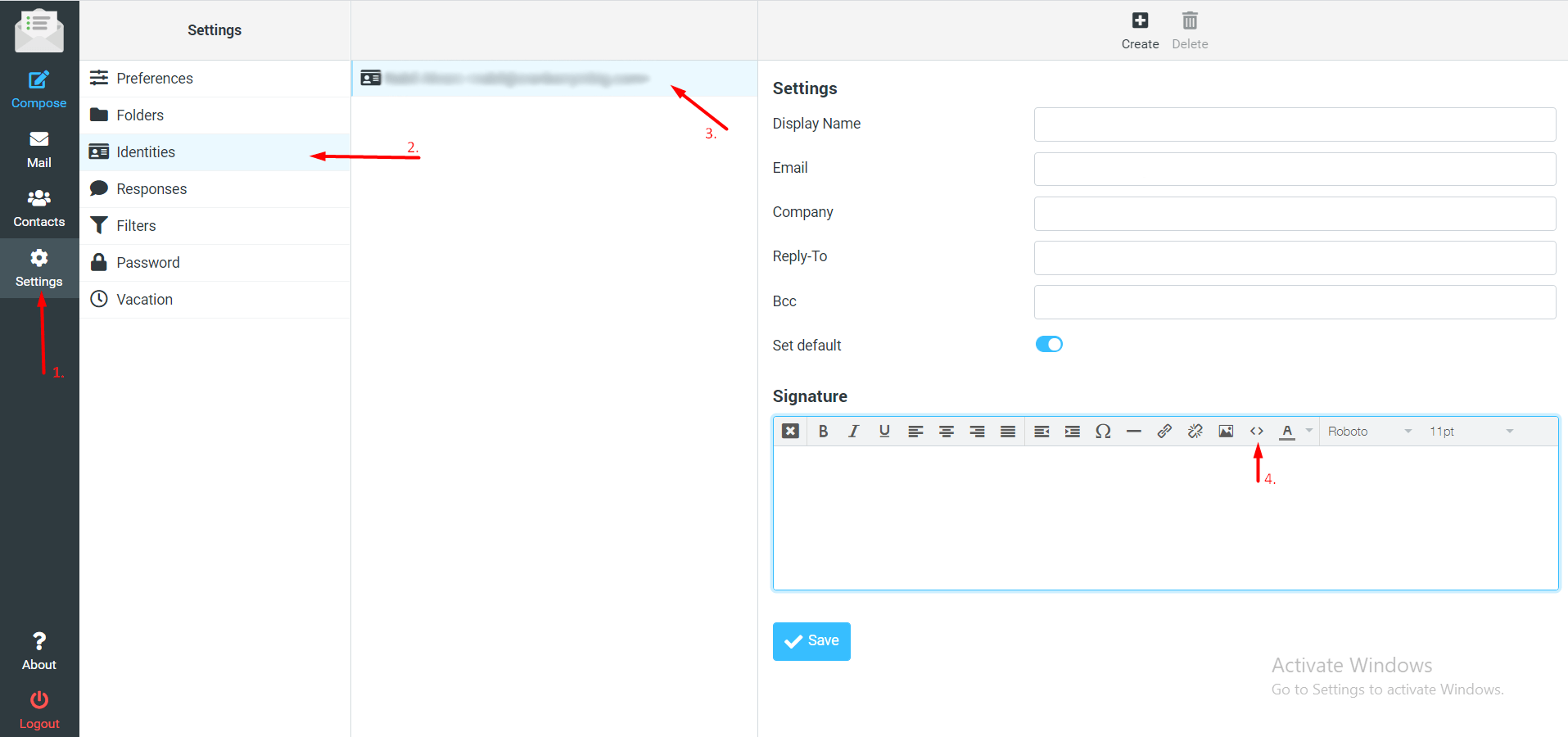
6. Click Save. Your Signature is added.
